Save any image, in any format, without leaving the page.
Hover over an image, pick a format, click save. SnapSave adds a tiny glass overlay to every image on the web so you never fight a right-click menu again.
 Add to Chrome
 Get the Firefox add-on
Built to stay out of your way
Every choice in SnapSave optimizes for one thing: saving an image should take one hover and one click.
Hover overlay
A small glass button appears over any image on hover. No right-click menus, no page navigation, no context switching.
Format conversion
Save as PNG, JPEG, WEBP, BMP, or ICO regardless of the source format — pick once as a default or choose per image.
Fast & lightweight
Under 35KB, no background network calls, no tracking scripts. It won't touch your page's load time or memory.
Light & dark themes
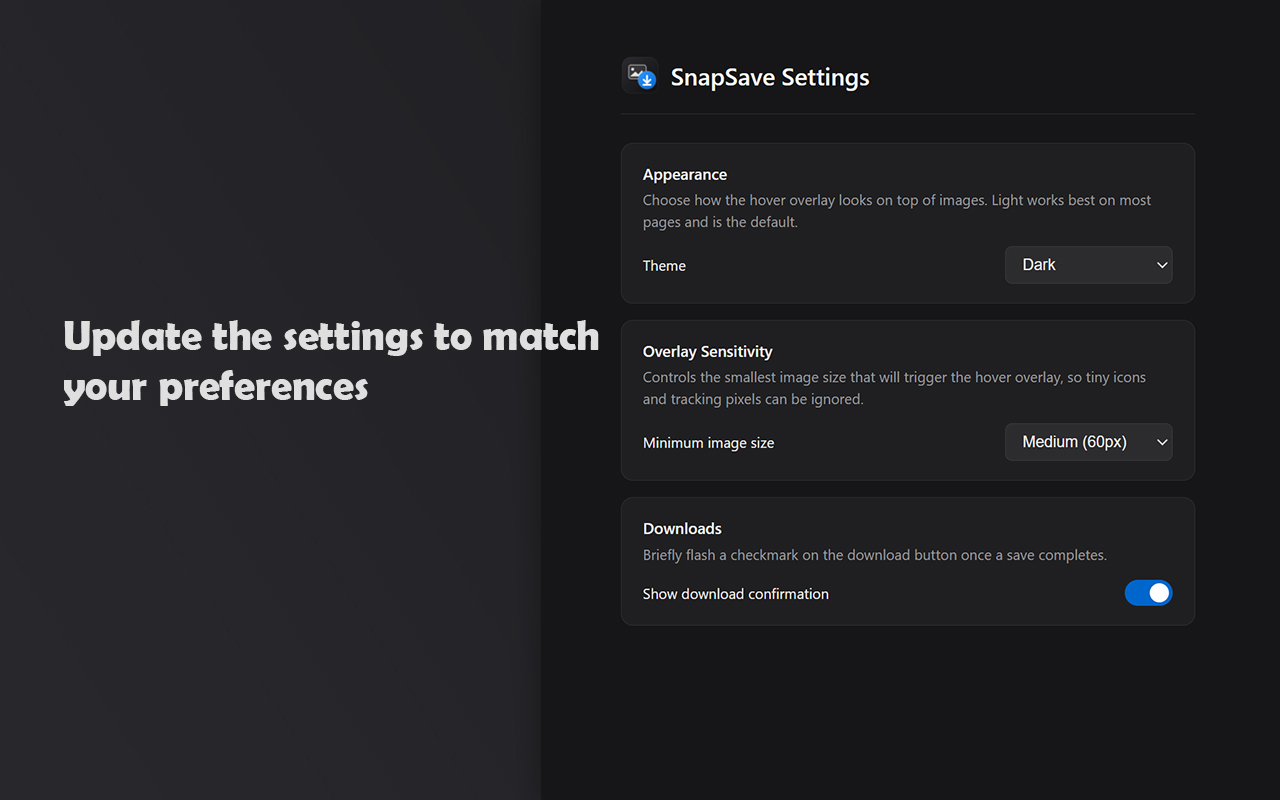
The overlay adapts to a light glass or dark glassmorphism look, so it never clashes with the page underneath.
Overlay sensitivity
Set the smallest image size that triggers the overlay, so icons, avatars, and tracking pixels get ignored automatically.
Save confirmation
An optional checkmark flashes on the button once a download completes, so you always know it worked.
Three steps, no dialogs
Hover an image
Move your cursor over any image above the minimum size you've set, on any website.
Pick a format
Open the dropdown to choose PNG, JPEG, WEBP, BMP, ICO, or keep the original — or skip this and use your default.
Click save
The image downloads straight to your downloads folder. A quick checkmark confirms it landed.
Settings that actually matter
Set a default format, choose where the button sits, and tune overlay sensitivity so it never gets in the way of a site's own buttons.
- Default save format, applied everywhere
- Auto, or a fixed corner, button placement
- Light or dark overlay theme
- Preferences sync across your browser
Install SnapSave in about ten seconds
Free, no account, no ads. Works the moment you install it.